Solid color background maker
Pick any color and a size for your desktop, phone, Zoom call or social banner, then download a plain PNG or JPG in one click. Free, no signup, made right in your browser.
Solid color background maker
QHD 1440p, one flat color
Popular plain colors
Click a color to preview it, or download it straight away at 2560×1440.
Neutrals
Pastels
Deep tones
Brights
How to make a solid color background
Pick a color
Drag on the color pad, type or paste a hex code or RGB values, pick a color from anywhere on your screen, or click one of the 40 named plain colors under the preview.
Choose a size
Pick Desktop, Phone, iPad, Mac, Video call or Social and then the exact screen or banner, or type a custom width and height. The preview switches to that shape.
Download
Choose PNG or JPG and click Download. The file is made in your browser at the exact pixel size, instantly. Add film grain, a soft vignette or a gentle two-tone first if you like.
Which plain color works best?
Video calls. On Zoom, Teams or Google Meet, a soft mid-tone flatters most faces: light gray, beige, sage green or powder blue. Pick something a few shades darker than your skin and unlike your top, so the edge of the virtual background stays clean. Pure white tends to look harsh on camera, and saturated brights pull attention away from you.
Phone wallpapers. Deep tones such as navy blue, forest green, plum or charcoal keep icons and widgets easy to read and feel calm at night. True black (#000000) is the minimalist classic, and on an OLED screen those pixels are simply switched off. Pastels like baby blue or pastel pink look soft and pair well with light mode.
Product photos. Marketplaces usually want pure white behind the main product image, and the White swatch is exactly #FFFFFF. For lifestyle shots and social posts, off-white, cream or beige read warmer and hide small shadows better than stark white.
Desktop and laptop. Muted colors are easiest on the eyes over a long day: slate blue, taupe, olive or dark gray. On a big 4K or 5K display, turn on a little film grain so the color feels like a surface rather than an empty screen.
Social banners and brand work.Paste your brand’s hex code and pick the LinkedIn, X, YouTube or Discord size. The file is the exact color, so it matches your logo and slides.
Plain, but not flat
A single flat color is often exactly right. When it feels a little too digital, three optional extras add depth without turning it into a pattern:
- Film grain adds fine light and dark specks, the same per-pixel noise as our grain texture generator. It also hides banding when you use the other two extras.
- Soft vignette darkens the corners a touch, which frames a phone or desktop wallpaper and draws the eye to the middle.
- Almost solid shifts the color gently from a lighter top-left to a deeper bottom-right. It still reads as one color, just with light in it.
Copy CSS gives you the same look as a CSS background (grain aside) for a website, and Copy hex or Copy RGB puts the value on your clipboard for Figma, Canva or your code.
Want more than one color?
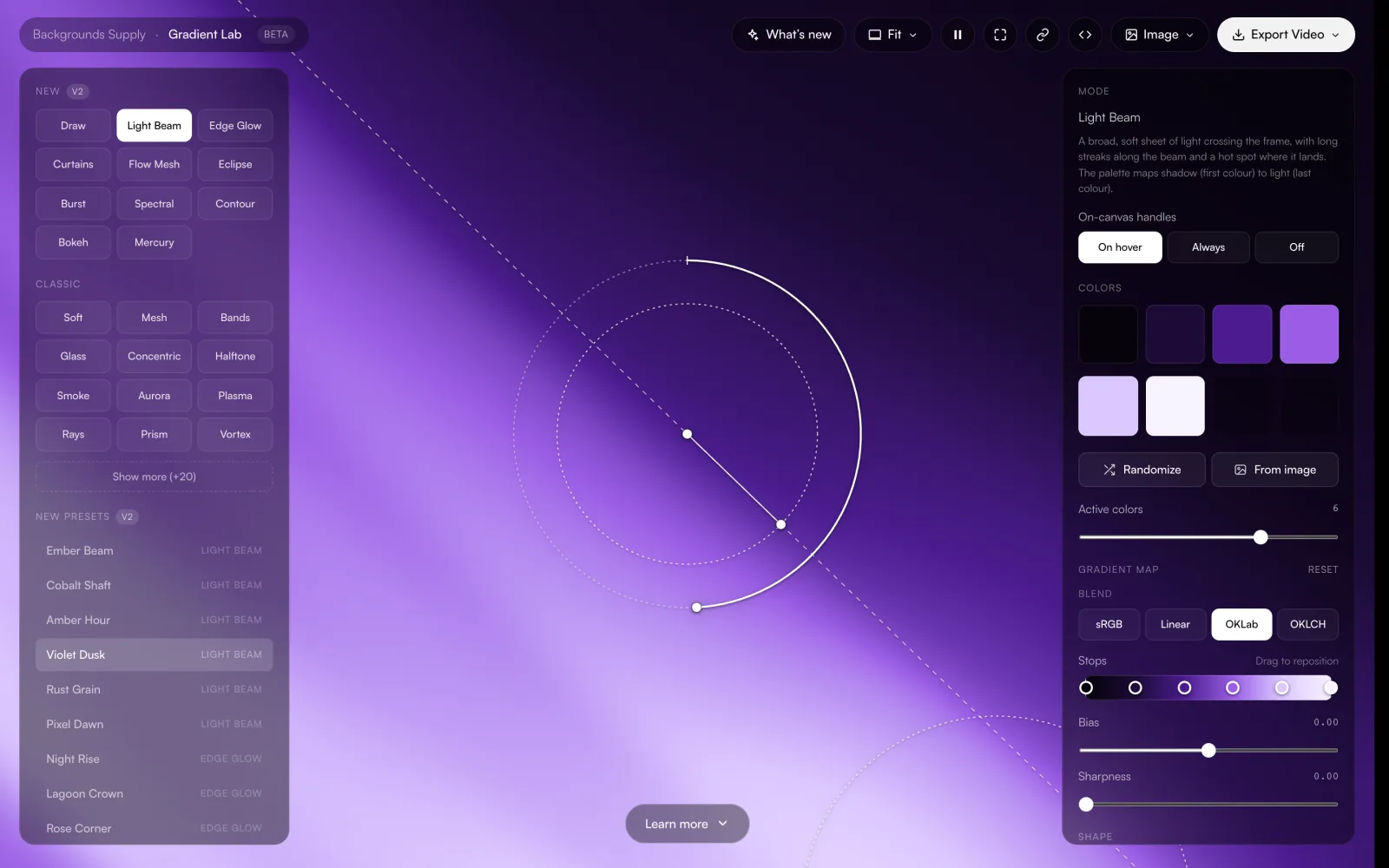
Gradient Lab is the full gradient editor, free in your browser. Start from your color and blend it into a soft gradient.
- Dozens of styles and 90+ presets
- Drag handles, color and shape controls
- Stills and MP4 or WebM video
More backgrounds
To put a photo or gradient on your screen at the right size, use the wallpaper maker. For calls with your name and logo on screen, try the Teams background maker. If you would rather start from finished art, browse the free gradient wallpapers or grab the free background pack.
Explore more: aesthetic wallpapers, moving backgrounds, free gradient wallpapers, gradient backgrounds, cool backgrounds, free aesthetic backgrounds.
FAQs
Plain black, white and solid color backgrounds: sizes and questions
Pick a color on this page (or paste its hex code), choose a size such as 1080p, 4K, your iPhone or a Zoom background, and click Download. You get a PNG or JPG filled with exactly that color at exactly that size. It takes a couple of seconds and needs no account.
Right here, free. Click the Black swatch (#000000), choose a size such as Full HD 1080p (1920×1080), 4K or your phone, and download a PNG. Every pixel is pure black. As a phone wallpaper on an OLED screen, those pixels are switched off, which looks deep and saves a little battery.
Click the White swatch, which is exactly #FFFFFF, pick a size and download it as a PNG so every pixel stays pure white. That is the backdrop most marketplaces want behind product photos, and a clean base for slides and documents. This tool makes the white image itself; it does not remove the background from an existing photo.
Yes. With the extras off, every pixel of the file is your hex code, so #1D2A47 comes out as #1D2A47 in Figma, Photoshop or Canva. PNG keeps it exact. JPG is exact or within a step on most colors, so choose PNG when the value matters, for brand colors or product photo backdrops.
Match the screen or slot it is for. For a desktop that is 1920×1080, 2560×1440 or 3840×2160 for 4K. For an iPhone 17 Pro or 16 Pro it is 1206×2622. Zoom, Teams and Google Meet all work best with 1920×1080. Instagram posts are 1080×1350 and stories 1080×1920. Every one of these is a preset here, all free.
4K and 5K, yes: 3840×2160 and 5120×2880 are presets, and Custom goes up to 8192 pixels on a side and about 16.7 megapixels in total. A full 8K image (7680×4320) is over that limit. A flat color scales up with no loss at all, though, so a 4K or 5K file looks identical on an 8K screen.
A soft mid-tone that is darker than your face and different from your clothes: light gray, beige, sage green, powder blue or slate blue all look calm on camera. Avoid pure white (it can look harsh and blow out) and avoid a color close to your skin tone or shirt, which the background blur can eat into. Download the Video call size, 1920×1080.
PowerPoint and Google Slides use 16:9 slides by default, so use Full HD 1080p (1920×1080), or 4K for a large screen. A 9:16 Instagram story, Reels or TikTok background is 1080×1920, under Social. Instagram posts are 1080×1350 and square posts 1080×1080, and there are presets for YouTube, LinkedIn, X and Discord banners too.
Yes. The 40 named swatches are only a starting point. Drag on the color pad, type or paste any hex code or RGB values, or use the eyedropper to pick a color from anywhere on your screen in browsers that support it, such as Chrome and Edge. Copy hex, Copy RGB and Copy CSS put the value on your clipboard.
Yes. The Green screen swatch is #00B140, the standard chroma key green. Download it at 1920×1080 or 4K as a PNG so the color stays perfectly even, with no compression noise, which helps keying software cut it out cleanly. Leave film grain, vignette and Almost solid switched off for a green screen.
PNG when the exact color matters. A flat PNG stays small, around 120 KB at 4K, and every pixel keeps your hex value. JPG when an app or upload form only takes JPG, or to keep files with film grain small, because grain makes PNGs much larger. Both are made at the exact pixel size you pick.
Yes, with three optional extras. Film grain adds fine light and dark specks, Soft vignette darkens the corners a touch, and Almost solid shifts the color gently from a lighter top-left to a deeper bottom-right. Each has a strength slider, and the result still reads as one color. Switch them all off for a perfectly flat file.
On iPhone, open the image in Photos, tap Share, then Use as Wallpaper. On Android, long-press the home screen and choose Wallpapers. On a Mac, open System Settings, Wallpaper, and add the file. On Windows, right-click the file and choose Set as desktop background.
Yes to both. Every color and every size is free, with no signup and no watermark, and the backgrounds you make are yours to use in personal and commercial work. Nothing is uploaded: the file is made in your browser.
For a soft blend, start from your color in Gradient Lab, the free gradient editor in your browser. For finished art, the free gradient wallpapers download as free 4K PNGs, and there is a free background pack too. The full Backgrounds Supply library, with every collection and the commercial license, comes with Pro, a one-time purchase with lifetime access.