Halftone gradient generator
Turn a gradient into halftone dots, a line screen, a CMYK print or a 1-bit dither, and download it as a PNG, with a transparent background if you need an overlay. Free, no signup, and it runs in your browser.
Halftone gradient tool
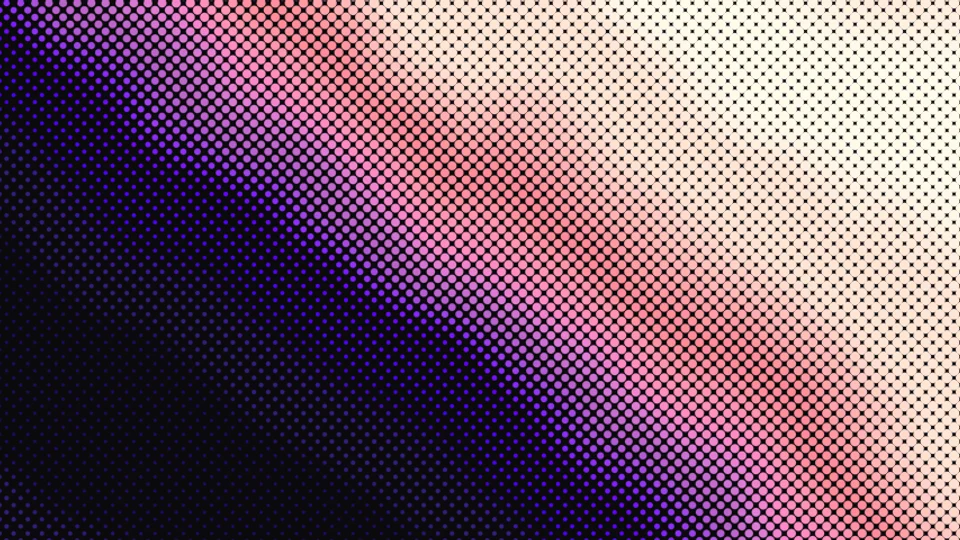
Gradient
Looks
Effect
Colors
Adjust
How to make a halftone gradient
Pick a gradient
Start from one of the Gradient Lab gradients or roll new colors. You can also halftone your own JPG, PNG or WebP photo; it is read in your browser and never uploaded.
Turn it into dots
Pick a look, then tune it: dot shape, spacing, angle and dot size, or switch to dither for a pixel pattern. The dots grow where the gradient is dark and fade out where it is light.
Download a PNG
Export a PNG in Full HD, phone or square size for free. Turn on Transparent background for a halftone gradient PNG you can layer over anything. Pro adds 4K and 8K.
Why a halftone gradient reads as a fade
Dot size follows brightness. Each cell of the grid samples the color beneath it, and the dot covers that share of the cell: where the gradient is 30% dark, the dots cover 30% of their cell. Across a gradient that gives the classic run from big dots to tiny ones, and from a few steps back it still reads as a smooth fade.
Angles avoid patterns. Print screens are tilted, classically 45 degrees for black, because a tilted grid is less noticeable to the eye than a square one. In CMYK print mode the four inks sit at 15, 75, 0 and 45 degrees by default, the standard offsets that keep the screens from beating into moire.
Sizes scale with the image. Spacing is measured against a 1080 px short edge, so a 4K download has the same number of dots as the preview, each one twice as large in pixels and perfectly sharp.
Ideas and tips
- For posters and covers, pick Glow dots over a dark background and keep the spacing large (20 px and up) so the dots read as a pattern.
- For a halftone gradient overlay, turn on Transparent background, pick Two colors, and lower Dot size for a lighter texture you can layer in Figma or Photoshop.
- Line screen at 30 to 60 degrees turns a gradient into an engraved, banknote-style fade.
- Gradients with one strong dark-to-light direction give the cleanest dot runs; press New gradient colors until one lands.
- Want a photo instead? Use a photo works with every look; Newsprint on a busy photo with raised Contrast gives a zine feel.
Want the dots to move?
Gradient Lab has a live Halftone look and a dither effect, with MP4 export for motion backgrounds.
More free tools and backgrounds
Want a different starting point? Browse the free gradient wallpapers or a picture from the free background pack. To build a gradient from a photo’s colors first, use image to gradient, and for a softer analog texture, the grain texture generator adds film grain instead of dots. The Gradient BGs collection is full of finished gradients if you would rather skip the dots.
Explore more: aesthetic wallpapers, moving backgrounds, free gradient wallpapers, gradient backgrounds, cool backgrounds, free aesthetic backgrounds.
FAQs
Halftone gradients: transparent PNGs, Illustrator, Photoshop and print
A halftone gradient is a tone change drawn with dots instead of a smooth blend: the dots are large where the gradient is dark and shrink to nothing where it is light, on a regular, slightly tilted grid. It is the look of old print, comics and screen printing, and from a distance the eye still reads it as a smooth fade.
Pick one of the gradients at the top of the tool or press New gradient colors, choose a look such as Glow dots or Newsprint, and adjust Spacing until the dots read well at your size. Then download the PNG. It runs in your browser, takes a few seconds and needs no signup.
Yes. Turn on Transparent background under Colors and the PNG keeps only the dots on a transparent background. Use it as a halftone overlay in Figma, Photoshop, Canva, Illustrator or a video editor, over a photo, a solid color or another gradient. Two colors with a lower Dot size gives a lighter texture to layer.
Six looks to start from: Glow dots, Newsprint, CMYK print, Line screen, 1-bit dither and Retro bayer. Dots can be circles, squares, diamonds or lines, and you can set spacing, angle, dot size and softness. Every look and control is free, and each one works on a gradient or on your own photo.
No, but both build tones from a few colors. Halftone uses dots that change size on a regular grid. Dither keeps every pixel the same size and decides which ones are on: Bayer patterns give a regular cross-hatch, while Floyd-Steinberg and Atkinson spread the error to neighbouring pixels for a grainier, classic 1-bit look. This tool does both.
Click Use a photo or drop a JPG, PNG or WebP on the page, and the same looks and controls apply to your picture. Newsprint on a busy photo with raised Contrast gives a zine feel. Your photo is screened on your own device with WebGL; nothing is uploaded or stored.
Draw a shape with a black to white gradient, then choose Effect, Pixelate, Color Halftone and set the dot radius. For editable vector dots, expand the appearance and use Image Trace. A faster route is to make the halftone gradient here, download a transparent PNG and place it in Illustrator as an image.
Fill a layer with a black to white gradient, then use Filter, Pixelate, Color Halftone and set the maximum dot radius and screen angles. For a one-color screen, convert the image to Grayscale, then Bitmap, and choose Halftone Screen. This tool skips those steps and adds line screens, dither and a transparent background.
No. Downloads are PNG images, not SVG or vector files. Each one is rendered fresh at its size, so the dots stay sharp at 1920×1080 for free and at 4K or 8K with Pro. If you need a true vector halftone for cutting or very large print, an Illustrator workflow is the better fit.
Yes. The CMYK print look splits the image into four rotated screens, by default at 15, 75, 0 and 45 degrees, the standard offsets that keep the screens from forming moire. It exports as a single PNG preview of the printed look, not as separated plates, so use it for the style rather than for press separations.
Free downloads are 1920×1080, 886×1920 phone and 1920×1920 square, plus your photo at up to 1,920 px on the long edge. With Pro you can export 4K (3840×2160), 8K (7680×4320), a 4096×4096 square and your photo at 4K. Spacing scales with the image, so a 4K file has the same dot pattern as the preview, only sharper.
Every look, effect and control is free, with no signup and no watermark, and free downloads go up to 1,920 px on the long edge. Pro, the one-time $49 Backgrounds Supply pack, adds 4K and 8K exports, plus the full background library and a commercial license for it.
Printing presses can only put ink down or leave paper bare, so they cannot print a true grey. A halftone fakes the in-between tones with dots of one ink that vary in size or spacing. Up close you see dots; from a normal distance the eye blends them into continuous tone.
Yes. Images you make here are yours to use in personal and commercial work, including posters, merch, websites, social posts and packaging. No attribution is required. If you halftone someone else's photo, you still need the rights to that photo.